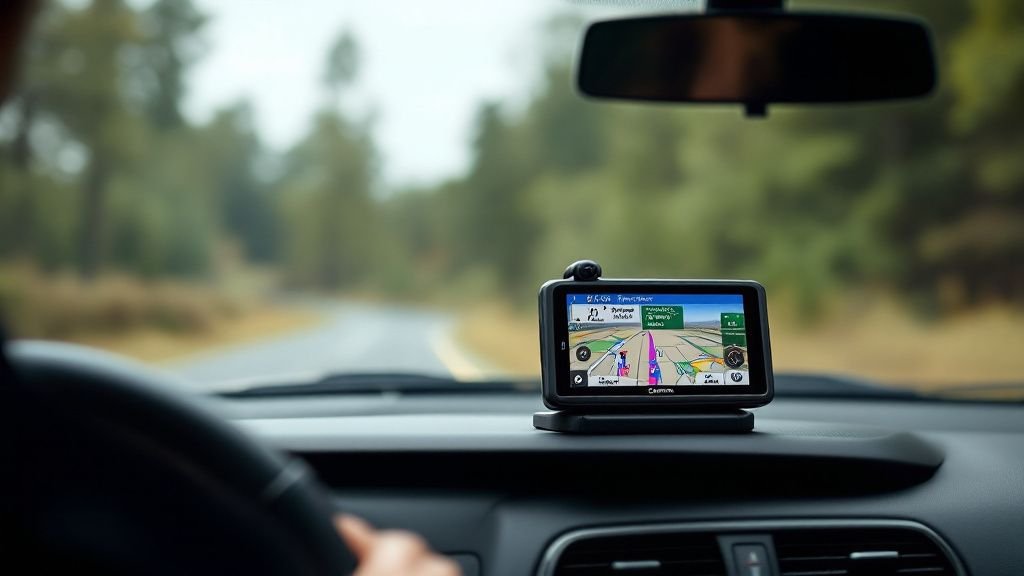
Shopping for a garmin gps with dash cam and backup camera means balancing navigation, incident recording and a clear rear view—but these features don’t always come in one device. Our top pick is the Garmin dēzlCam OTR725 for truck drivers: it pairs a 7-inch navigator with a built-in dash camera and truck-specific routing. For RV owners, the RV Cam 795 adds RV-aware guidance and incident recording, while the DriveCam 76 suits everyday drivers who want navigation and a front-facing camera. If a true rear camera is essential, note that the Garmin models listed here are not described as including one; the WOLFBOX G840S is the roundup’s dedicated front-and-rear mirror-camera alternative. Compare the features, listed prices and available rating information below to find the setup that suits your vehicle and avoid paying for capabilities you don’t need.
Top Pick Our #1 Recommendation
Runners Up

Garmin DriveCam™ 76, 7” GPS Car Navigator & Built-in Dash Cam
The Garmin DriveCam 76 is a feature-rich travel navigator for drivers who value a large display, Nor…

Garmin dezlCam OTR725 High-Res 7” GPS Truck Navigator with Built-in 1080P HD Dash Cam, Automatic Incident Recording, Custom Routing, Satellite Imagery, Wind Speed (Renewed)
The OTR725 is a capable everyday truck navigator with useful dash-cam recording, truck-aware routing…

Garmin Dash Cam™ Mini 3, Ultracompact 1080p HD Dash Cam
The Garmin Dash Cam Mini 3 is a polished, discreet 1080p recorder with useful voice control, a wide …

Garmin dēzl Cam OTR725 GPS Truck Navigator 7″ Large Display Bundle
The Garmin dēzl Cam OTR725 is a feature-rich premium truck GPS navigation bundle, pairing configurab…

Garmin RV Cam 795, 7” GPS RV Navigator & Built-in Dash Cam
The Garmin RV Cam 795 is a capable travel companion for RVers who value a large display, vehicle-awa…

Garmin Dash Cam 67W, 1440p and Extra-Wide 180-degree FOV
The Garmin Dash Cam 67W earns its Best for Everyday Use award with a useful mix of wide-angle 1440p …

WOLFBOX G840S 12″ 4K Mirror Dash Cam Backup Camera with 32GB Card and GPS
The WOLFBOX G840S combines a large mirror display, 4K front video, rear-camera coverage, GPS, and ap…

Garmin RV Cam 795, Large, Easy-to-Read 7″ GPS Navigator, Built-in Dash Cam, Automatic Incident Detection, Custom RV Routing, High-Resolution Birdseye Satellite Imagery (Renewed)
At $379.99, the renewed Garmin RV Cam 795 offers a useful mix of RV navigation, a built-in dash cam,…
How to Choose the Best Garmin GPS with Dash Cam and Backup Camera
A Garmin GPS with dash cam and backup camera can bring navigation, front-facing video recording, and reversing assistance into one setup. In practice, these features may come from separate devices or a product bundle, so check exactly what is included and what works together. Compare navigation features, camera quality, installation needs, and total cost before choosing; compatibility matters as much as the advertised feature list.
Check the exact model numbers and Garmin compatibility information. Confirm whether the listing includes the GPS, dash cam, rear camera, mounts, power cables, and any required adapter. If buying separately, verify that the rear camera can display on the selected navigator and that the devices can be powered and mounted in your vehicle.
Compare screen size, map coverage, traffic features, voice guidance, and update options. A larger display is easier to read but can obstruct visibility in smaller cars. Check whether traffic data requires a phone connection or subscription, and whether map updates are included or available for the life of the device.
Review video resolution, field of view, low-light performance, and whether recording starts automatically. Loop recording and incident detection are useful for everyday driving. Check the required memory card type and maximum capacity, and budget for a card if it is not included. Position the camera without blocking the driver’s view.
Confirm that the camera is intended for vehicle reversing and that its signal works with the chosen Garmin screen or separate monitor. Consider wireless transmission for simpler installation, while remembering that wireless cameras still need power. Check night vision, weather resistance, viewing angle, and whether the image appears automatically when reverse is selected.
Check whether installation requires routing a cable to the rear, connecting to reverse-light wiring, or using a dedicated power outlet. Consider professional installation if you are unsure about vehicle wiring. Include the cost of a memory card, mounts, adapters, and any optional subscriptions when comparing listings.
Frequently Asked Questions
Final Verdict
The best Garmin GPS with dash cam and backup camera setup depends on whether you drive a truck or a passenger car—and remember that the rear camera may be an optional accessory. Our top pick, the Garmin dēzlCam OTR725, combines truck-specific navigation, custom routing, arrival planning, and a built-in dash cam. The Garmin DriveCam 76 is a compelling everyday-driving alternative with a 7-inch screen and integrated camera. For shoppers focused on cost, a renewed OTR725 may be worth considering after checking its condition, warranty, and included accessories. Verify backup-camera compatibility and total system cost before ordering.
Tip: Before choosing, match the navigator to your vehicle and driving routine. Truck drivers should prioritize custom truck routing and arrival-planning tools; everyday drivers may prefer a simpler car-navigation experience. Treat the dash cam and backup camera as separate functions: confirm that the rear camera is compatible, whether it is included, and what accessories are required. Also review current warranty, return, and storage-card guidance in the product documentation. These checks help ensure the system fits your needs instead of relying on a feature name alone.